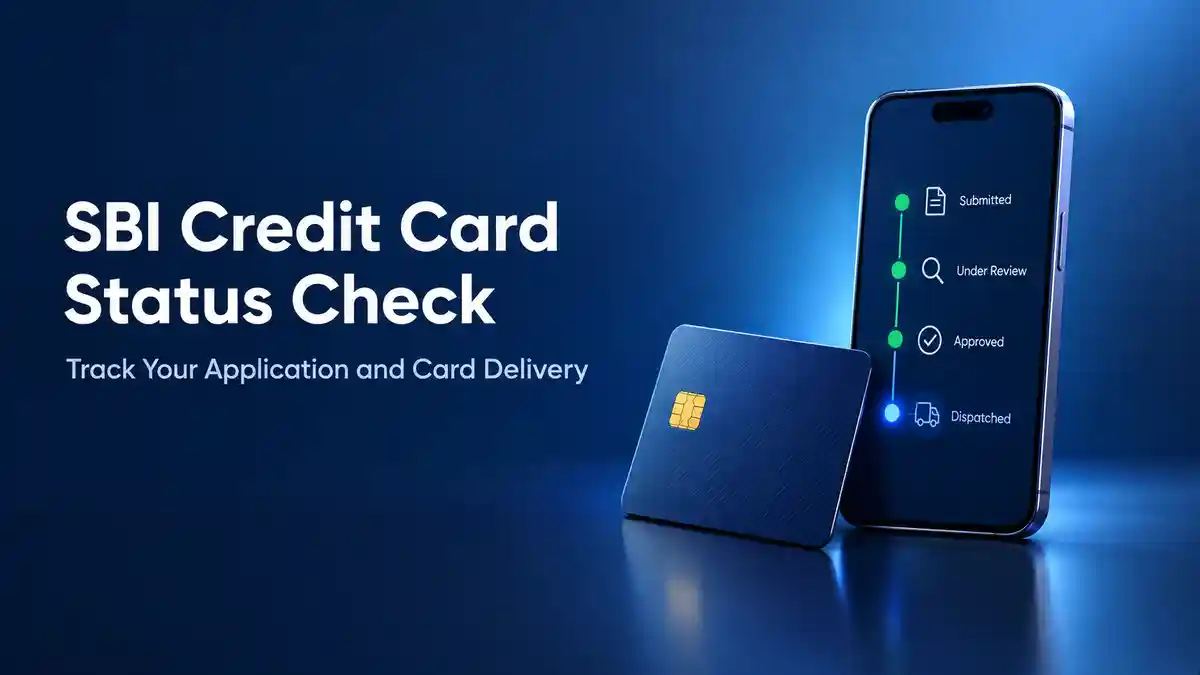
For an SBI credit card status check, open SBI Card’s application tracking page, stay on the “Track Application” tab, enter your application or reference number, and click “Track”. Your status will show on the screen. If you’ve lost the number, check the SMS and email SBI Card sent when you applied, or call the helpline.
This page covers every way to check your SBI credit card application status, what each status means, how long approval takes, how to follow your card through dispatch and delivery, and what to do when the tracker shows nothing. It also explains SBI debit card tracking, which works differently.
Ways to Check Your SBI Credit Card Status
| Your Situation | What to Do |
|---|---|
| You have the reference number | Use “Track Application” on the tracking page |
| You have the number and prefer a call | Call the helpline, press 4, and enter the 13-digit number |
| You didn’t finish the online form | Use “Retrieve Application” with your first name and mobile number |
| You submitted the form but lost the number | Search your SMS and email, or call SBI Card |
| Your card is approved but hasn’t arrived | Check your SBI Card account, the helpline, or the ILA chatbot |
| The tracker says “no record found” | Recheck the number, then call the helpline |
How to Check SBI Credit Card Application Status Online
The tracker works in any phone or computer browser.
- Open SBI Card’s tracking page. Type sbicard.com yourself, or use the link above. Don’t use a link from an ad or a forwarded message.
- Stay on the “Track Application” tab.
- Enter your application or reference number exactly as it appears in your confirmation SMS or email, without spaces.
- Click “Track”.
- Read your status on the screen.
The number appears on screen when you submit the application, and SBI Card usually sends it to your registered mobile number and email too. If you applied through a partner app, look for a message from SBI Card, not just the partner.
Your status won’t change every day. Checking once or twice a week is enough, unless SBI Card contacts you.
SBI Credit Card Application Status Check Without Reference Number
An SBI credit card application status check without a reference number depends on whether you finished the form.
If you didn’t finish the online form
The “Retrieve Application” tab brings back a half-filled form:
- Open the tracking page and click “Retrieve Application”.
- Enter your first name and mobile number exactly as you typed them in the form.
- Click “Retrieve” and enter the OTP sent to that mobile number.
- Finish the application from where you stopped.
If you submitted the form and lost the number
The Retrieve tab is meant for unfinished forms, so it may not help here. Try these instead:
- Search your SMS and email, including spam, for the message SBI Card sent when you applied.
- If you applied through a partner app, check that app’s confirmation message too.
- Call the SBI Card helpline and tell them you submitted an application but don’t have the number. Keep your PAN, date of birth, and the mobile number you used ready, because the executive will verify you first.
Check SBI Credit Card Status by Phone
SBI Card’s IVR menu guide lists “Press 4 for Application Status”. After that, you enter your 13-digit application number. If you’d rather talk to someone, the guide lists “Press 9” to speak to an executive.
This route also needs the application number. The menu guide has no date on it, so if the options you hear are different, ask for an executive.
YONO Track Application: Applied Through the YONO SBI App?
People who search for YONO track application have usually applied for a credit card inside the YONO SBI app. Even then, it’s an SBI Card application. The reference number in your confirmation SMS or email works on SBI Card’s tracking page, just like a website application.
SBI Bank’s own online apply site also has an application status page. That page wasn’t checked for this guide, so read what it asks for before entering any details, and use SBI Card’s tracker for credit cards.
SBI Credit Card Status Check by PAN Number
The SBI credit card status check by PAN number is one of the most searched versions of this question. The short answer: the tracking page doesn’t have a PAN field.
- “Track Application” asks only for the application or reference number.
- “Retrieve Application” asks for your first name and mobile number.
SBI Card’s online application FAQ has also described getting back a saved form with your date of birth and PAN. So SBI Card’s own pages aren’t identical on this. Go by what the live tracking page asks for.
Your PAN is still useful. The helpline may ask for it, along with your date of birth and mobile number, to confirm who you are. If you only remember your PAN, search your messages for the reference number first, and call the helpline if you can’t find it.
If any website asks for your card number, PIN, CVV, or net banking password to show an application status, close it. SBI Card’s tracker never asks for these.
SBI Credit Card Status by Mobile Number, Name or SMS
By mobile number. An SBI credit card status by mobile number works only with “Retrieve Application”, together with your first name, and only for an unfinished form. The OTP goes to this number, so it has to be the same one you used in the form, and it has to be working.
By name. Your name alone doesn’t open an application. It works only with your mobile number on the Retrieve tab.
By SMS.SBI Card’s SMS service is for existing cardholders. You send commands like BAL, AVAIL, PAYMENT or BLOCK, followed by the last four digits of your card, to 5676791. There’s no SMS command for application status. The SMS to expect is the one SBI Card sends you, with your reference number and updates.
What Each SBI Credit Card Application Status Means
SBI Card’s tracking page doesn’t publish a list of status names. The labels below are the ones applicants commonly see, so treat this as a general guide.
| Status | What It Usually Means | What to Do |
|---|---|---|
| In progress or under review | SBI Card is checking your details, documents, and credit report | Wait and keep your phone on |
| On hold | A document is missing, or a detail doesn’t match | Call the helpline, ask what’s pending, and send it quickly |
| Approved | Your card is approved and being prepared | Use the e-card link SBI Card sends by SMS |
| Dispatched | The card has left SBI Card and is on its way | Watch for the dispatch message and stay reachable |
| Declined or rejected | The application didn’t meet SBI Card’s criteria this time | Ask for the reason and fix it before reapplying |
How Long Does SBI Credit Card Approval Take?
SBI Card gives an overall processing time of up to 21 days, counted from when you submit the application and it has all the documents it needs. If a document is missing or unclear, the clock waits for it.
| Stage | What Happens | Typical Time |
|---|---|---|
| Application submitted | You get a reference number | Same day |
| Call from SBI Card | An executive contacts you about your documents | Within 2 working days |
| Verification and credit check | SBI Card checks your documents and credit report | Part of the 21 days |
| Decision | Approved or declined | Within the 21 days, once documents are complete |
| E-card | An SMS link lets you see your card details | After approval |
| Delivery | The physical card reaches your address | After dispatch |
Some websites quote 7 to 15 days or 2 to 3 weeks. Those figures don’t come from SBI Card. Plan around 21 days, and treat anything quicker as a bonus.
If you’re still deciding which card to apply for, the steps and documents are covered under applying for an SBI credit card online, and card fees and types are on the main SBI credit card guide.
SBI Credit Card Delivery Time After Approval
SBI Card’s pages don’t give a separate SBI credit card delivery time for a new card after approval. The 21-day figure covers the whole application, so don’t read it as a delivery date.
For comparison, SBI Card’s replacement card FAQ says a reissued card should reach you in 7 working days, though it can take longer in some places. That’s for replacements, not new applications. If your dispatch message gives an expected date, go by that, and call SBI Card if the date passes.
SBI Credit Card Tracking: Dispatch and Delivery
Once your card is approved, SBI credit card tracking moves from “is it approved?” to “where is my card?”. The tracking page doesn’t show courier details, so this part works through messages and your SBI Card account.
Step 1: Check your messages
After approval, SBI Card sends an SMS with a link to an e-card. You can see your card details and start using the card online before the plastic card arrives. Dispatch updates also come to your registered mobile number and email. If a message has a courier name and a tracking number, save it. This number is often called the AWB (air waybill) number.
Step 2: Track the courier
To track SBI card dispatch details, enter the tracking number on the official website of the courier named in your message. For SBI Card AWB tracking, the AWB number goes in the same tracking box on the courier’s site. Don’t guess the courier from a forum or another website.
Step 3: Ask SBI Card
If you have no tracking number, SBI Card’s activation and dispatch FAQ lists these ways to check your SBI credit card delivery status:
- Log in to your SBI Card account on the website
- Call the helpline
- Write to SBI Card at customercare@sbicard.com
- Ask the ILA chatbot
Keep your reference number ready.
When the card arrives
SBI Card asks for an original document at delivery for a quick check: your passport, PAN card, or driving licence. Keep one with you, or with whoever will receive the card.
To activate the card, log in to your SBI Card account, call the helpline, or write to SBI Card. Then set your PIN.
SBI Credit Card Not Delivered? What to Do
- Search your SMS and email, including spam, for the dispatch message. Note the courier name and tracking number.
- Track the shipment on the courier’s official website. If it shows a failed delivery attempt, check with family, neighbours, or your building’s security desk.
- Check your address. Make sure the address in your application is correct, and someone can receive the card.
- Call the SBI Card helpline with your reference number. Ask for the dispatch details and the address on record.
- If the card was returned or the address is wrong, ask SBI Card how it will send the card again and what it needs from you.
Don’t submit a fresh application while the first one is still being processed. Each application adds a hard enquiry to your credit report. Ask SBI Card first whether the current one can be updated.
SBI Add-On Card Application Status
An add-on card is requested by the main cardholder through the SBI Card app or website, and it’s delivered to the main cardholder’s registered address. The tracking page is built for new card applications, so for an SBI add-on card application status, check through your SBI Card account or call the helpline. Don’t expect the add-on request to show in the same tracker.
Status Not Showing or “No Record Found”? Try This
A blank result or an error doesn’t mean your application was rejected. Work through these checks:
- Recheck the number. Copy it from the SMS or email, with no spaces. Watch for the letter O versus zero, and the letter I versus one.
- Wait a little if you applied only recently. A new application can take time to show.
- Use “Retrieve Application” if you never finished the form.
- Make sure your mobile number is working, because the OTP goes to it.
- Try another browser or your phone’s mobile data.
- Call the helpline. The executive can see more than the tracker shows.
If the OTP doesn’t arrive, wait a minute and request it again. Never share an OTP with anyone, including a caller who says they’re from SBI Card.
Application On Hold or Rejected: Next Steps
If your application is on hold
An application on hold usually needs something from you. Call the helpline, ask exactly what’s pending, and send it. Check that your name, address, and income details match your documents.
If your application is rejected
SBI Card’s FAQ says you can normally apply again three months after your last application. SBI Card’s credit card issuance policy says applicants who don’t meet its criteria are told the reason. Use the gap well:
- Ask SBI Card for the reason.
- Check your credit report for errors.
- Clear small dues and bring down card balances.
- Choose a card that fits your income better.
Before the next try, it helps to know the checks banks run before approving a card.
What Does “Delinquent” Mean in SBI Card Status?
SBI card status delinquent has nothing to do with a new application. It shows on an existing card account when payments are overdue. SBI Card’s FAQ pages don’t use or define the word. They talk about “defaults” instead.
SBI Card’s card blocking and unblocking FAQ explains what happens after missed payments:
| Missed Payments in a Row | What Can Happen | What to Do |
|---|---|---|
| Up to 3 | Credit facility may be temporarily withdrawn | Pay the total due or at least the minimum due from your latest statement |
| 4 to 6 | Credit facility may be permanently withdrawn | Pay the full outstanding, then call the helpline to ask for reactivation. SBI Card reviews it |
| More than 6 | The account is written off and can’t be reactivated | Pay the full outstanding. You can apply for the Unnati Card, which needs an SBI account and a fixed deposit kept with SBI Card |
Once you pay, the FAQ says updating your credit bureau record can take 45 to 60 days. Paying clears the dues, but the record of the late payments stays in your credit history for some time. The steps for rebuilding a credit record with a card help after that.
SBI Credit Card Status Enquiry Number
The SBI credit card status enquiry number is SBI Card’s helpline. These are the details on SBI Card’s contact page:
| Detail | Contact Information |
|---|---|
| Toll-free | 1800 180 1290 |
| Other numbers | 1860 500 1290 and 1860 180 1290 |
| With your STD code | 39 02 02 02 |
| Application status on IVR | Press 4, then enter the 13-digit application number |
| Speak to an executive | Press 9 |
| Executive hours | 8 AM to 8 PM, Monday to Saturday |
| customercare@sbicard.com |
Some websites call this a 24×7 line, but SBI Card’s contact page gives the hours above for executives. Keep your reference number, registered mobile number, and date of birth ready when you call. The full list of numbers and how to escalate a complaint is under SBI Card’s helpline and complaint steps.
SBI Debit Card Tracking: A Different Process
Many people searching for SBI card dispatch details are waiting for a debit card from State Bank of India. That card comes from the bank, not from SBI Card, so the credit card tracker won’t show it.
For SBI debit card tracking, SBI Bank’s contact centre page gives these phone steps:
- Call 1800 1234 from your registered mobile number.
- Choose your language.
- Press 2 for ATM card and chequebook services.
- Press 2 again for debit card tracking.
- Enter the last four digits of your account number if asked.
The system tells you the dispatch status of your latest card and sends an SMS.
If you got a message like “your request for a Visa card has been processed, and the card will be dispatched shortly”, it’s usually about a debit card requested through SBI Bank or YONO, not an SBI credit card. It means the card hasn’t been sent yet. If the SMS has a courier or postal tracking number, use that carrier’s official website. SBI Bank’s contact centre works round the clock. The SBI Card helpline doesn’t handle debit cards.
Stay Safe While Tracking Your SBI Card
- Use only sbicard.com, the SBI Card app, and the numbers on SBI Card’s contact page.
- Never share your card PIN, CVV, full card number, net banking password, or OTP with anyone who offers to speed up your application.
- SBI Card’s tracker doesn’t ask for these details. A page that does isn’t the real tracker.
- If a call feels wrong, hang up and dial the official number yourself.
Frequently Asked Questions
How do I check my SBI credit card status?
Open SBI Card’s tracking page, go to “Track Application”, enter your application or reference number, and click “Track”.
Can I check my SBI credit card status by PAN number?
The tracking page has no PAN field. Use your reference number. The helpline may ask for your PAN to verify you.
How do I check my status without the reference number?
If you submitted the form, search your SMS and email for SBI Card’s message, or call the helpline. “Retrieve Application” is for forms you didn’t finish.
Can I check my SBI credit card status by mobile number?
Only for an unfinished form, using “Retrieve Application” with your first name and mobile number.
Is there an SMS to check SBI credit card application status?
No. SBI Card’s SMS commands cover things like balance, payments, and blocking a card, but not application status.
What is the SBI credit card status enquiry number?
Call 1800 180 1290, press 4, and enter your 13-digit application number. Executives are available from 8 AM to 8 PM, Monday to Saturday.
How many days does SBI take to approve a credit card?
Up to 21 days from when you submit the application and SBI Card has all your documents.
How do I know if my SBI credit card has been dispatched?
Watch for the dispatch message on your phone and email. You can also check your SBI Card account, call the helpline, or ask the ILA chatbot.
How do I track SBI card dispatch details?
Enter the courier tracking number from the dispatch message on the courier’s official website. If you don’t have one, ask SBI Card.
What documents do I need when the card is delivered?
An original passport, PAN card, or driving licence for a quick check at delivery.
How do I track an SBI debit card?
Call 1800 1234 from your registered mobile number, choose your language, press 2 and then 2 again, and enter the last four digits of your account number if asked.
Why is my SBI credit card application on hold?
Usually, a document is missing, or a detail doesn’t match. Call the helpline, ask what’s pending, and send it.
What if the tracker says “no record found”?
Recheck the number, wait if you applied recently, and call the helpline if it still shows nothing.
What does delinquent mean on an SBI credit card?
It means payments on an existing card are overdue. Missed payments can get the card blocked, and repeated defaults can lead to the credit facility being withdrawn.
How long does an SBI credit card take to arrive after approval?
SBI Card doesn’t publish a separate delivery time for new cards. Use the date in your dispatch message, and call SBI Card if it passes.
How do I track an SBI credit card applied through YONO?
Use the reference number from your confirmation SMS or email on SBI Card’s tracking page.
How do I check my SBI add-on card status?
Check through your SBI Card account or call the helpline. Add-on requests may not show in the application tracker.
When can I reapply after a rejection?
Normally, two to three months after your last application.
Conclusion
The quickest SBI credit card status check is “Track Application” with your reference number. If you’ve lost the number, search your messages or call the helpline. A PAN, a name, or an SMS won’t open your status on SBI Card’s tracker. After approval, use the e-card link, the dispatch message, and the courier’s website, and call SBI Card if anything seems stuck. For a debit card, use SBI Bank’s own phone route.
Disclaimer: This article is for general information and education only. It is not financial advice. Finserv Decode is not a bank or card issuer and is not linked to SBI Card or State Bank of India.
Tracking steps, button names, helpline numbers and hours, processing times, and delivery steps are set by SBI Card and State Bank of India and can change. The information here was checked against their official pages as of now. Status names are a general guide, not an official list. Approval is decided by SBI Card, and nothing here guarantees approval or delivery. Confirm the current process on the SBI Card website or app.